Parametric borders: formulas, signed counts, and material
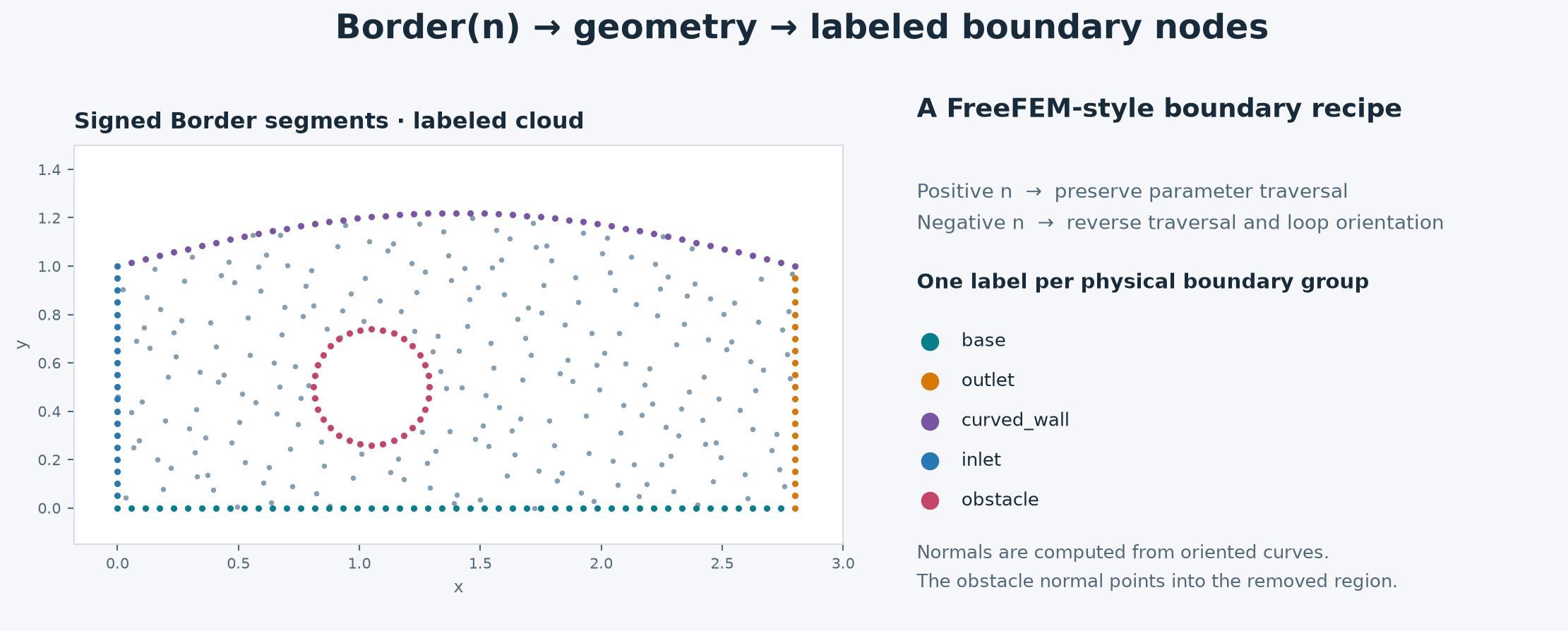
A Border is a labeled parameterized curve. As in FreeFEM++ border scripts, write the curve pieces in connected order, choose a signed segment count for each, and let directed contours describe material. Border(n) requests abs(n) segments; a negative count reverses traversal. Samples are uniform in the parameter, and the terminal endpoint is excluded so adjacent pieces do not duplicate their junction.
Write a curve formula
import sympy as sp
from rbflab import geometry as g, meshgen, viz

t = sp.symbols("t", real=True)
bottom = g.Border((3*t, 0), "bottom", 0, 1)
outlet = g.Border((3, t), "outlet", 0, 1)
top = g.Border((3*(1-t), 1+sp.sin(sp.pi*t)/4), "top", 0, 1)
inlet = g.Border((0, 1-t), "inlet", 0, 1)
obstacle = g.Border((1+sp.cos(t)/4, sp.Rational(1,2)+sp.sin(t)/4),
                    "obstacle", 0, 2*sp.pi)
Each formula returns (x(t), y(t)); the four channel pieces join end-to-start and close. Symbolic curves are differentiated automatically for tangent-derived normals. Extra symbols must be substituted with numeric values before building a border; only the curve parameter may remain free.
Signed segment counts encode traversal
borders = [bottom(60), outlet(24), top(60), inlet(24), obstacle(-40)]
cloud = meshgen.generate(borders, interior=350, seed=42)
fig, ax = viz.plot_cloud(cloud, normals=True)
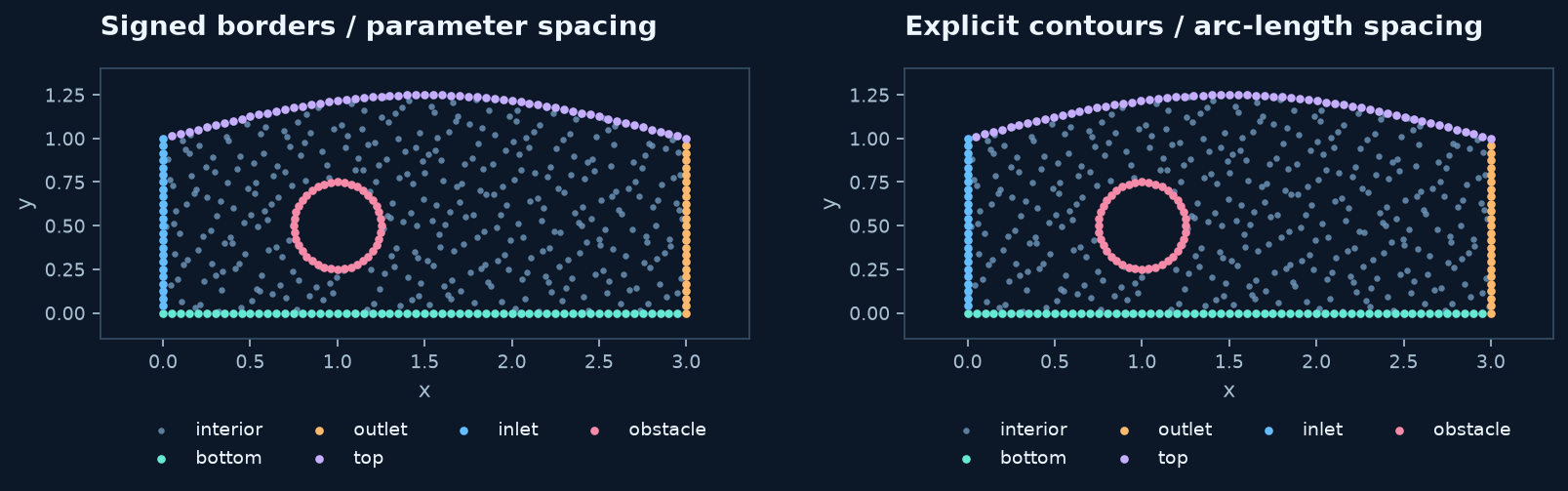
The negative count on obstacle reverses its direction while still requesting 40 segments. The closed exterior runs counterclockwise, enclosing positive-area material; the obstacle runs clockwise, marking a hole. In this border workflow, contour orientation is significant: counterclockwise contours add material and clockwise contours subtract it. A hole must be inside an outer contour. Multiple disjoint holes can be described by additional clockwise contours. Overlapping positive contours are partitioned into regions; this is not unrestricted CAD Boolean composition.
The signed count changes traversal and orientation, not the physical shape. Keep pieces in directed connected order; RBFLAB does not silently reverse a mismatched piece. If endpoints fail to meet or a contour is not closed, correct formulas, order, signs, or tolerance. Avoid reusing the same mutable Border object for separate pieces.
Generate from the sampled borders
Counts have already been applied to the border objects, so omit boundary=. The interior count is independent. meshgen.generate builds its own point cloud and does not mutate the supplied curves. Boundary labels become keys in cloud.boundary; labels may be shared to combine pieces with the same boundary role.
For ordinary NumPy callables, supply a tangent when known:
import numpy as np
wall = g.Border(lambda t: (2*np.cos(t), np.sin(t)), "wall", 0, 2*np.pi,
                tangent=lambda t: (-2*np.sin(t), np.cos(t)))
Without tangent=, a callable uses second-order finite differences. An explicit normal= is also accepted and its direction is retained. See labels and normals before using numerical derivatives for flux conditions.
Sampling versus geometric resolution
Border points are parameter-uniform, not generally arc-length-uniform. Their sampled segments define a polygonal membership approximation: raising interior does not refine the curves. Increase each piece's segment count to resolve curvature and narrow gaps. For approximately arc-length-uniform samples on analytic curves and a separate dense membership table, use explicit parametric contours.
Shared labels, interfaces, and an existing RBFMesh
Several exterior pieces may use the same label when they receive the same
boundary equation. For example, assign "wall" to both a top and bottom
piece; cloud.boundary["wall"] then groups their samples. A retained contour
inside the material can also define an internal interface. Such samples appear
in cloud.interfaces and remain interior unknowns; they receive no automatic
transmission equations or interface normals. Use distinct labels for exterior
boundaries and internal interfaces. An is_border=False piece can shape the
material without contributing labeled samples.
The object-list API remains available when a construction is stored as an
RBFMesh:
mesh = meshgen.RBFMesh(*borders)
again = meshgen.generate(mesh, interior=350, seed=42)
print("stored samples:", len(mesh.Points), "cloud nodes:", len(again.points))
Generation rebuilds the sampled border geometry without changing the stored
mesh.Points. For connected triangles and boundary-driven interior refinement,
pass the same sampled borders to triangulate.